
Blog · 13 October 2026
Organise Your Notes Around How You Think
A practical approach to organising notes, connecting reusable knowledge, and finding what you need without building a complicated system.
Taking notes is easy. Keeping them useful over time is a different challenge.
A few documents rarely need much organisation. You know what you've written, where you've saved it, and how to find it again. But as those documents grow into hundreds or thousands of files, things become less straightforward.
You might remember researching a particular subject without remembering where you saved the explanation. You might have several documents covering similar topics, each written for a different purpose. Or you might find an old decision that looks complete, only to realise it was replaced months ago.
It's tempting to solve these problems by adding more folders, tags, links, or specialised software.
But before changing your tools, it's worth asking a simpler question:
Does the way you've organised your notes reflect the way you understand and use the information?
There's no universally correct way to organise knowledge. A useful system depends on what you're working on, how you think about it, and how you're likely to look for it later.
Here are a few principles I've found helpful when organising my own documents.
1. Start With a Structure You Already Understand
When deciding how to organise files, I prefer to begin with concepts that already make sense outside the software.
A university, for example, might organise knowledge into schools, departments, and subjects. A software development team might divide its work into design, testing, reviews, and operations.
These structures aren't arbitrary. They reflect relationships we already understand.
That familiarity makes them useful when deciding where a document belongs.
Example: A Software Development Project
For a development project, I organise documents around the different responsibilities involved in building and maintaining the software.
A simplified structure might look like this:
Ellenote/
├── README.md
├── Roadmap.md
├── Changelog.md
│
├── Design/
│   ├── Editor-Architecture.md
│   ├── Search.md
│   └── File-Management.md
│
├── QA/
│   ├── Test-Plans/
│   └── Reports/
│
├── Reviews/
│   ├── Architecture-Review.md
│   └── Release-Review.md
│
└── Runbooks/
    ├── Deployment.md
    └── Troubleshooting.md
The top-level documents provide a general view of the project. They answer questions such as what the project does, what is currently being developed, and what has changed.
The folders underneath serve more specific purposes.
If I need a test report, I'll look under QA. If I'm reviewing a technical decision, I'll look under Design or Reviews. If I need to follow a deployment procedure, I'll look under Runbooks.
I don't have to remember every filename. Understanding the document's role gives me a reasonable place to start.
Example: A Personal Learning Library
A learning library needs a different structure because its purpose is different.
Instead of organising information around a development process, I organise it around areas of knowledge, somewhat like a university.
Study/
├── README.md
│
├── Art/
│   ├── Art-History/
│   ├── Music/
│   └── Design/
│
├── Science/
│   ├── Physics/
│   ├── Chemistry/
│   └── Computer-Science/
│
├── Engineering/
│   ├── Software-Engineering/
│   ├── Electrical-Engineering/
│   └── Mechanical-Engineering/
│
└── Business/
    ├── Economics/
    ├── Finance/
    └── Management/
When I want to revisit something I've learned about economics, Business → Economics is a natural place to look.
When I'm researching how a browser renders a webpage, Science → Computer Science makes sense within this particular structure.
These categories aren't meant to reproduce an official academic classification. They're simply a way of organising knowledge using relationships I already understand.
Your own learning library might look completely different. You could organise it by courses, research questions, professional disciplines, or personal interests.
The important thing is that the structure should be understandable to you.
A useful folder structure gives you a way to reason about where a file belongs, even when you can't remember its name.
2. Organise by Purpose, Not Just by Topic
Real-world categories overlap.
Computer science can be studied as a science and applied through engineering. Design can belong to the arts, but it can also be part of developing a technical product. Economics may appear in academic research, business planning, or public policy.
This raises a practical question: where should a note go when its subject could belong to several categories?
I find it helpful to consider not only what the note is about, but also why I'm writing it.
Take two documents about browser rendering performance.
The first is a general investigation:
How Does DOM Size Affect Browser Performance?
It explores how browsers render documents, why large DOM trees can affect performance, and what existing research tells us about those effects.
The purpose is to develop an understanding that may be useful in many situations.
I would keep that research in my learning library:
Study/Science/Computer-Science/DOM-Rendering.md
The second document is more specific:
Designing a Virtualised Editor for Large Markdown Documents
It examines how to apply that knowledge to an editor, evaluates architectural options, and records decisions about implementation.
That belongs in the development project:
Ellenote/Design/Editor-Architecture.md
Both documents concern similar technical ideas, but they serve different purposes.
One asks how something works. The other asks how that understanding can help solve a particular problem.
Keeping them separate has an additional benefit: each document can stay focused.
The general research doesn't need to become a running record of one application's development decisions. The engineering document doesn't need to repeat every explanation of browser rendering.
Instead, each can concentrate on the question it was created to answer.
When you're unsure where a note belongs, three questions can help:
- Subject: What is this note about?
- Purpose: What am I trying to understand, decide, or accomplish?
- Context: Where am I most likely to need this information again?
You don't need to turn these questions into three layers of folders. They're simply a way to make a decision.
And that decision doesn't have to be perfect.
If a category makes sense to you and helps you find the note again, it's doing its job.
3. Connect Knowledge Instead of Duplicating It
Separating general research from project-specific documents also makes knowledge easier to reuse.
Imagine researching browser performance while developing a Markdown editor.
Later, you start another project that involves rendering large amounts of content. The same research may be useful again.
If the original investigation lives inside the first project's design document, finding and reusing it becomes less straightforward.
If it exists as an independent research note, both projects can refer to it.
Study/
└── Science/
    └── Computer-Science/
        └── DOM-Rendering.md
                 ▲
                 │
        ┌────────┴─────────┐
        │                  │
Ellenote/               Another-App/
    Design/                 Design/
    Editor.md               Renderer.md
This is one reason I prefer giving a document one primary location and linking to it from other contexts.
The research has a stable home. Each project can use it without maintaining a separate copy.
It also makes updates more manageable.
If I discover something new about browser rendering, I can update the research note. The project documents can continue to reference that shared explanation while keeping their own decisions and implementation details separate.
Of course, not every repeated sentence needs to become a separate document.
Splitting information too aggressively can make reading more difficult, especially when understanding one idea requires opening several files.
I usually find it more useful to separate documents when they have distinct purposes, can be understood independently, or are likely to be reused in different contexts.
Use Overview Documents as Maps
For larger projects, I also keep high-level documents near the top of the folder structure.
These don't need to contain every detail. Their purpose is to provide context and point to the documents that do.
For example, a project overview might include:
Ellenote — Overview
| Area | Current Focus | Detailed Documents |
|---|---|---|
| Editor | Large-document performance | Architecture |
| Search | Navigation and indexing | Search Design |
| Quality Assurance | Regression testing | Test Plans |
| Release | Deployment preparation | Runbook |
# Ellenote — Overview

| Area | Current Focus | Detailed Documents |
| --- | --- | --- |
| Editor | Large-document performance | [Architecture](#) |
| Search | Navigation and indexing | [Search Design](#) |
| Quality Assurance | Regression testing | [Test Plans](#) |
| Release | Deployment preparation | [Runbook](#) |
The folder structure tells me where information belongs.
The overview tells me how the pieces fit together.
These are different jobs, and they work well together.
You don't need an elaborate network of links to benefit from this approach. A few useful connections between well-scoped documents can be more valuable than linking everything to everything else.
4. Let the Structure Grow With Your Notes
It's easy to spend more time designing a filing system than actually using it.
You might create a detailed hierarchy for every subject you expect to study, only to discover that most of those folders remain empty.
I prefer to start with broad categories and add detail when there's a practical reason.
If I have only a few notes about physics, a single Physics folder may be enough. If that collection eventually grows to include substantial material on mechanics, electromagnetism, and thermodynamics, separating those subjects may become useful.
The structure should respond to the information you have, not to every kind of information you might collect someday.
It's also worth accepting that some notes will be difficult to classify.
A document might connect economics and psychology, or combine software engineering with product design.
You don't necessarily need a new category every time two subjects overlap.
Choose a primary location that makes sense, then use links where another connection would be helpful.
The purpose of organising notes isn't to create a perfect classification of the world. It's to make your own information easier to understand and retrieve.
Review What Is Still Relevant
A folder structure may remain useful for years, but the documents inside it can change.
This is particularly noticeable in projects where decisions are regularly revised.
Suppose an early architecture proposal has been replaced by a newer design.
I don't immediately delete the old document. First, I review it for unresolved questions, assumptions that still matter, and decisions that need to be carried forward.
I move those relevant items into the new document, then archive the old one.
This keeps the current document focused without losing the history behind earlier decisions.
In Ellenote, archiving changes a note's status in its Markdown frontmatter. The file stays in its original folder, so its existing file links remain valid.
That distinction matters to me.
A document's location describes where it belongs in the project. Its status describes whether it is still part of the active work.
An older architecture decision doesn't stop belonging to the architecture folder simply because it has been superseded.
You don't need Ellenote to apply the underlying method. You could mark older documents as superseded, maintain an archive index, or use whatever convention your current software supports.
What matters is distinguishing information you should act on now from information you're keeping for historical context.
5. Find What You Need in the Way That Makes Sense Right Now
A clear folder structure makes documents easier to organise, but it doesn't mean browsing folders is always the best way to access them.
How I look for a document depends on what I'm doing and what I remember about it.
Sometimes I know its place in the project. Sometimes I know its name. Sometimes I only remember a phrase inside it. And sometimes I need to return to something I opened a few minutes ago.
Those situations call for different approaches.
When You Remember Where a File Belongs
Most of the time, I still browse folders.
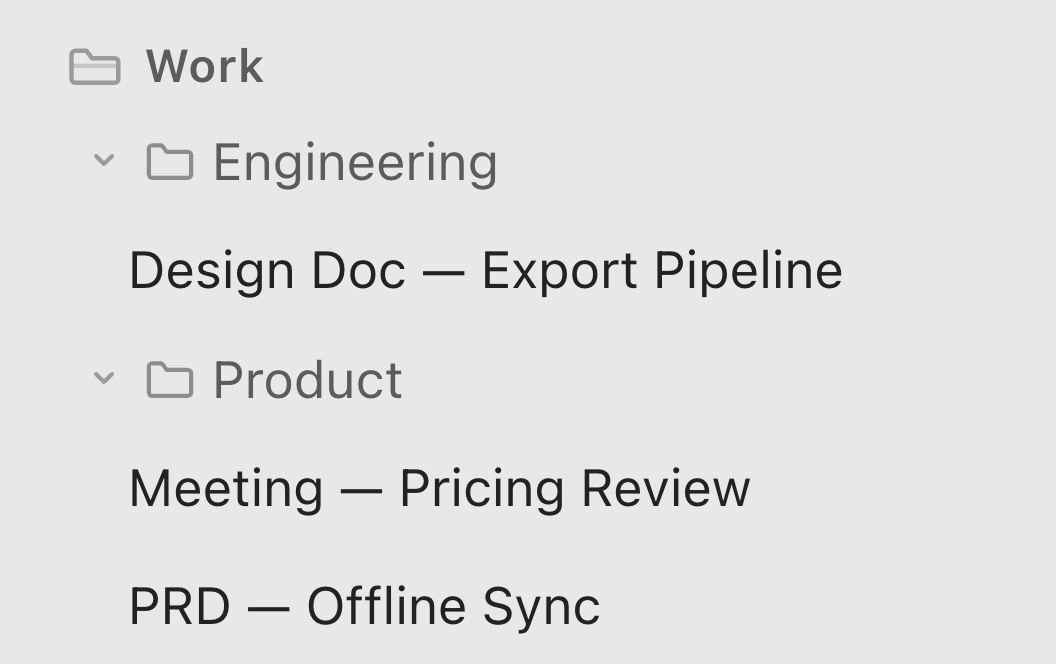
If I'm looking for a QA report, I open the project, go to QA, and look through the reports.
This may involve more steps than typing a filename into a search box, but it follows the way I think about the project.
As I navigate, I also see related documents and regain some context about the work.
There's nothing inherently inefficient about using a folder structure you understand.
The fastest interaction isn't always the one that feels most natural.
When You're Switching Between Documents During a Meeting
Meetings create a different situation.
I might be updating an unfinished design document while discussing a test report and checking a project plan.
Those files may live several folders apart.
At that moment, I don't want to retrace their locations every time the conversation moves between topics.
This is when I use Ellenote's Recent view to return to documents I've just opened.
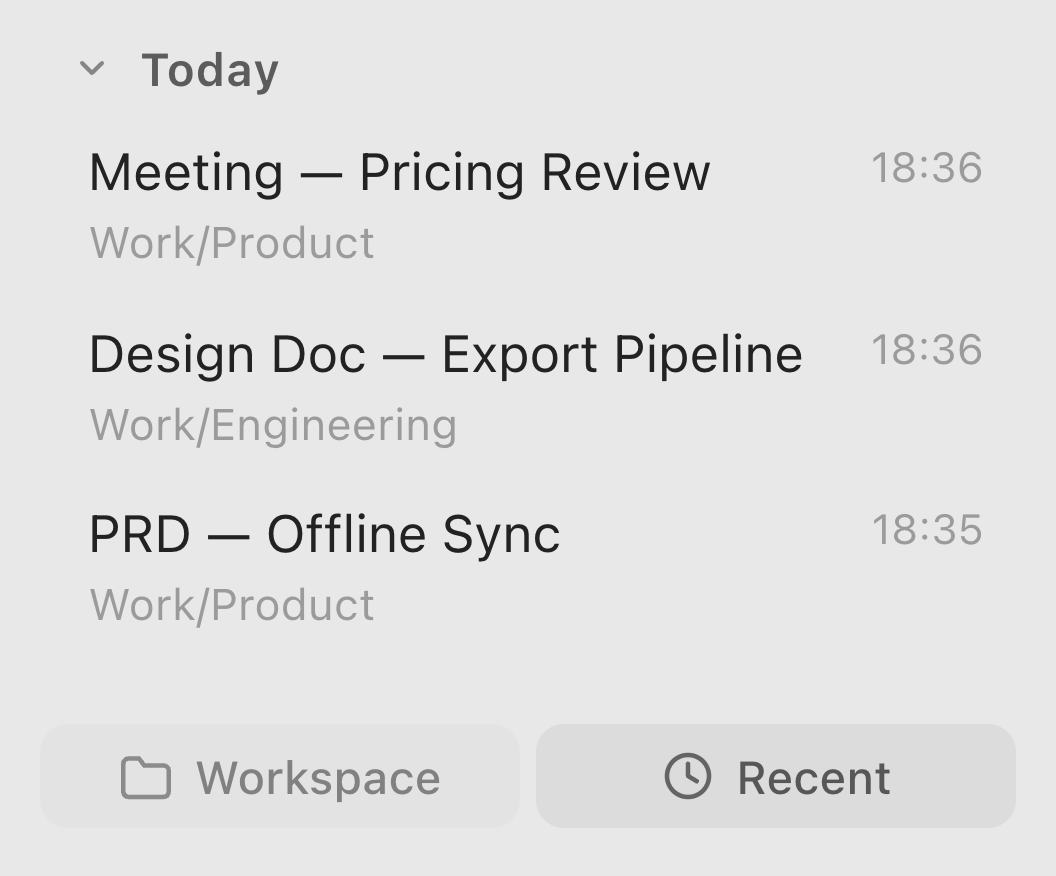
The underlying folder structure hasn't changed. I'm simply using a shorter route while the work demands it.
When You Already Know the Filename
Another common situation comes up when I'm reviewing an old decision before archiving it.
I've identified a few unresolved issues and know which newer document should contain them.
There's little value in browsing the folder hierarchy again when I already know the destination.
I use Quick Open, type the filename, and go directly to it.
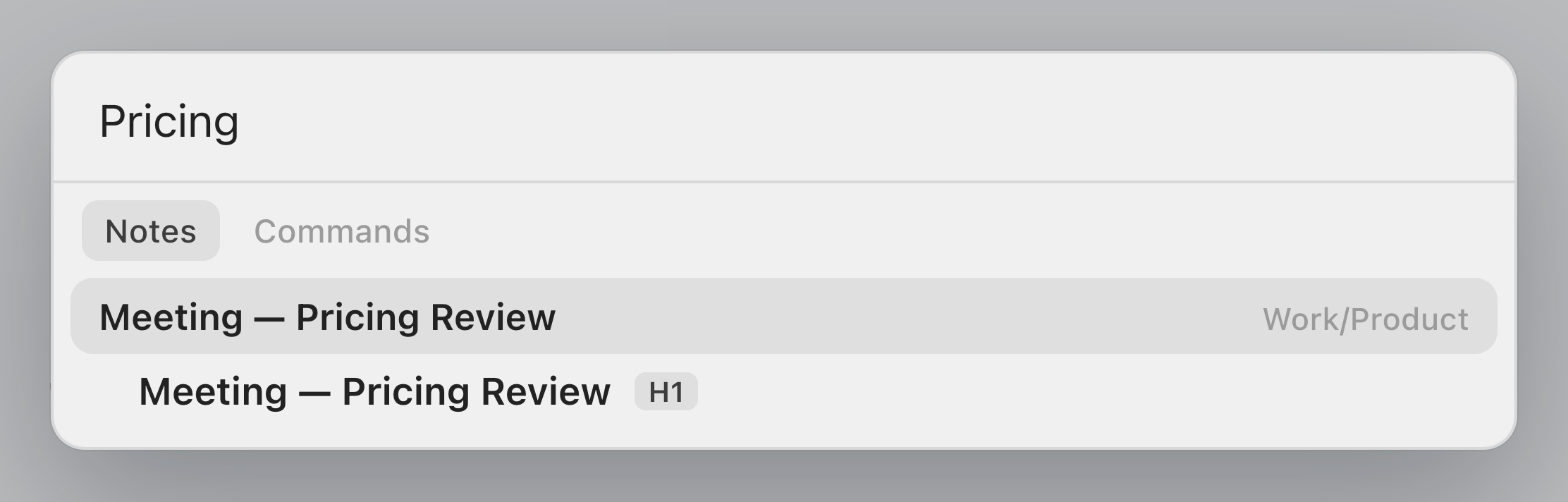
The same approach is useful whenever the document's name is easier to remember than its location.
When You Remember the Content, but Not the File
Sometimes I remember an explanation, a phrase, or a technical problem without remembering which document contains it.
That's when searching the content is more useful than navigating by location or filename.
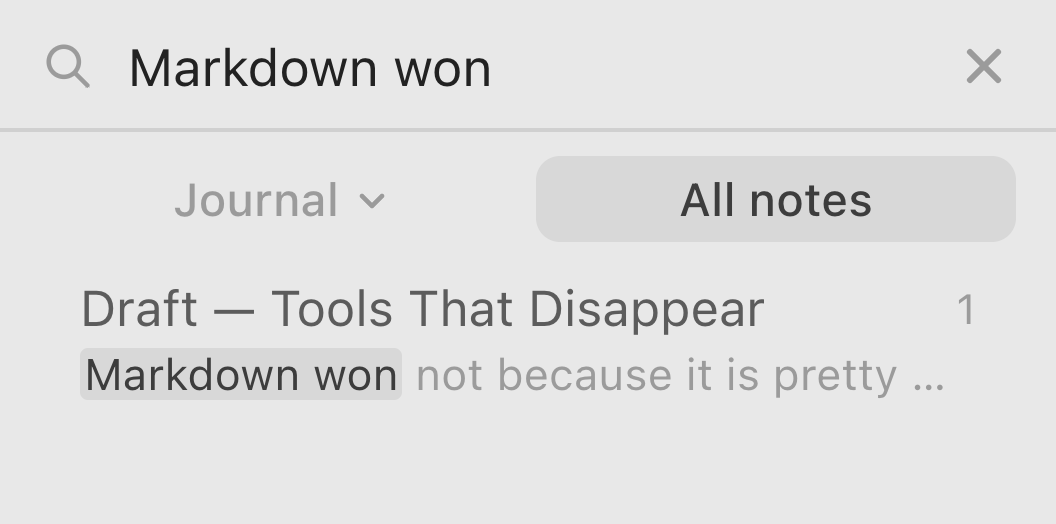
A good search experience helps narrow the possibilities so I can return to the relevant passage and understand it in context.
It doesn't replace the folder structure. It gives me another way into the same information.
When You Need the Same Reference Repeatedly
Some documents become especially important for a short period.
A project plan might be relevant throughout a release cycle. A reference note might be useful during several days of research.
In those situations, pinning the document makes it easier to return to without moving it from its permanent location.
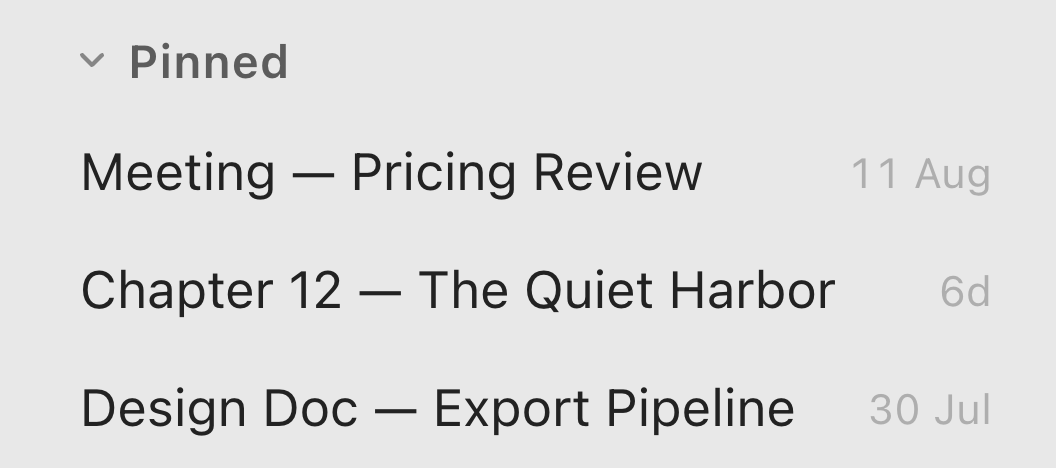
Once the work is finished, it can return to being an ordinary file in the project.
When You Don't Know Where Something Belongs Yet
Not every note begins with a clear purpose.
You might capture an idea during a conversation or write down a question that needs more investigation.
Stopping to decide the perfect folder can interrupt the thought you're trying to record.
For those moments, an Inbox provides a temporary place to put the information.
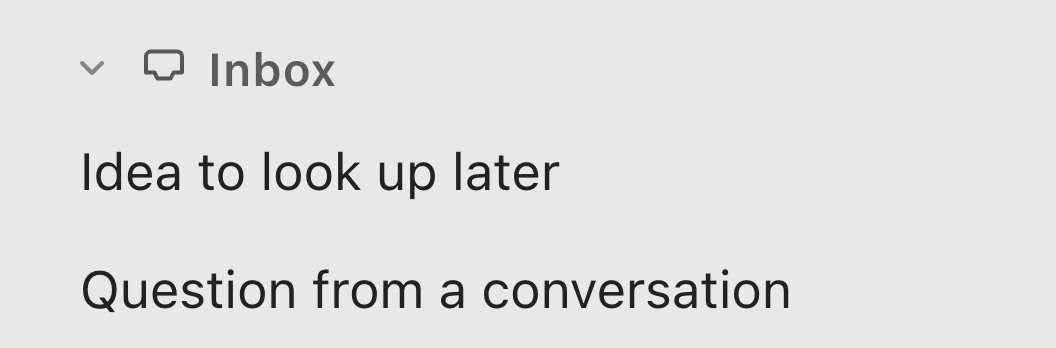
Later, when you have more context, you can decide whether it belongs in an existing document, needs a new note, or isn't worth keeping.
The important part is returning to the Inbox occasionally. Otherwise, it simply becomes another place where information accumulates without structure.
The Right Route Depends on the Moment
These approaches aren't competing systems.
Browsing folders works when I remember the document's context. Quick Open works when I know its name. Search helps when I remember its contents. Recent helps when I'm moving between documents in the middle of a task.
Pinning is useful for temporary priorities, while an Inbox lets me capture something before I've decided where it belongs.
I don't use all of them equally often, and I don't think I should have to.
One of the ideas behind Ellenote is that a capability should be available when it's useful without demanding attention the rest of the time.
The same principle applies to finding files.
Organise for the long term. Navigate for the moment.
6. Build a System You Can Actually Maintain
There's a reason I prefer ordinary folders and documents as the foundation of my own system.
I can understand the structure without relying on a particular interface. I can browse it using the file manager, open the documents in different editors, and change the organisation as my work evolves.
But the folder structure itself isn't what makes the system useful.
The value comes from a few habits: giving documents clear purposes, keeping reusable knowledge separate from project-specific decisions, connecting related information, and occasionally reviewing what is still relevant.
None of these habits requires a particular application.
If you're already comfortable with your note-taking software, there's no reason to change it simply to adopt a different way of organising information.
You might start by reviewing one project folder. Ask whether its categories still make sense, whether several documents are trying to do the same job, and whether important information is buried somewhere you wouldn't think to look.
Then make a few changes.
You don't need to reorganise everything at once.
Over time, a structure that reflects how you understand your work becomes easier to use because you know why things belong where they do.
And when the task changes, the way you access those files can change with it.
That's the kind of relationship I want with a writing tool: the freedom to organise information in a way that makes sense to me, with useful capabilities available when I need them.
The tool should support the system, not become the system.
Ellenote is a Markdown editor for macOS and Windows, built around a direct writing experience, thoughtful typography, and files that remain yours.
Download free trial