
Note taking
Notes that stay files you can leave
If you are looking for a good note taking app, start with whether you can leave it. Ellenote keeps each note as a Markdown file in a folder you choose. The page looks like a document while you write. There is nothing to install before the first note. Notes stay on your computer.
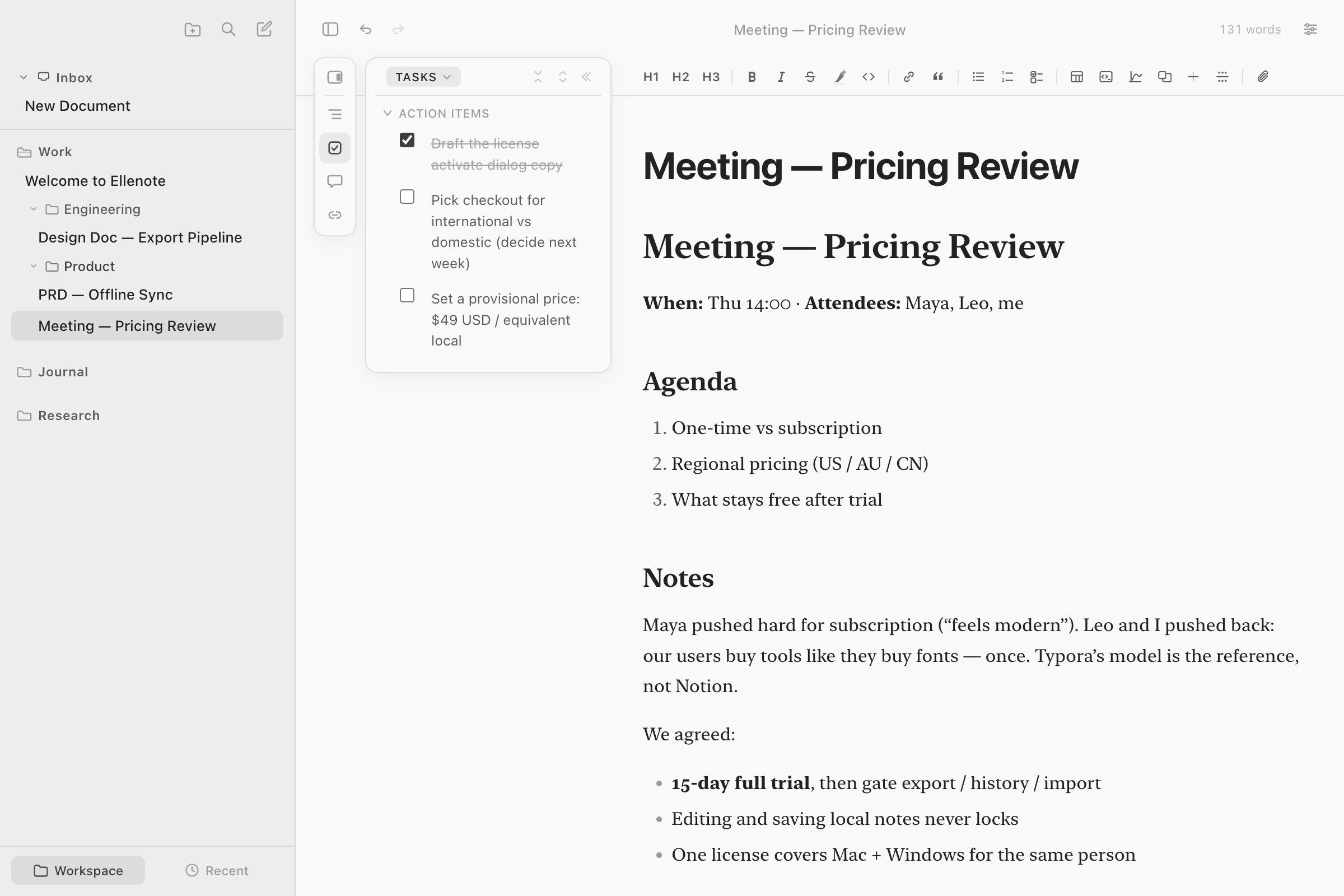
The notes are not locked in
The file is ordinary Markdown. There is no proprietary library and no account for the notes. Another editor can open the same file. A script or an AI tool can read it. Ellenote does not call a model, and it does not upload the note to keep it. If you stop using the app, the folder is still the notes.
A simple Markdown notes app, without plugins
You add a folder and start. There is no plugin catalog to assemble, and no graph view to learn. The outline walks a long note by its headings. Focus fades the rest of the page. Opening a note again returns to the last place you were reading. Search covers the open workspaces, or one of them. Quick Open jumps to a note or a heading.
That is the same app as the Markdown editor, seen from the notebook side. The comparison is where Typora, iA Writer, and Obsidian are set beside it.
Meeting notes start from a template
A template can open a meeting note, a weekly review, a study note, or a chapter you have not named yet. Placeholders fill in as you go, and a template can wrap a selection you already made. Inserting one does not require you to remember the marks. The template is a file too.
Tasks stay checkboxes in the note
The sidebar Tasks view groups the open workspaces, Inbox included. Each one starts as a done-and-total. Opening it lists the notes that still have an unfinished task. Checking a box changes that checkbox in the file. There is no due date, and no task list stored apart from the notes. A checkbox in the properties block or in a code fence is not a task.
Comments that do not change the file
An annotation sits beside a passage and is stored on this computer. It is not written into the Markdown. The file you commit, copy, or open elsewhere is the note without those comments. The comments are not uploaded.
Mac and Windows, and a folder you already sync
There is no phone app. Ellenote does not run a sync service. If the folder is already in iCloud Drive, OneDrive, or Google Drive, add that folder as a workspace. The cloud app syncs the files. A note that is not on this machine yet still appears, and opening it downloads the file. The price is on the homepage.
Questions
What makes a good note taking app?
A good note taking app lets you leave it without losing the notes. The notes are ordinary Markdown files, a long note is still readable, and you are not paying every month so the old notes open.
Can I open a folder of notes on a Mac and start?
Yes. Ellenote opens a folder of Markdown files. There is no plugin to install and no graph to set up. The same license covers Windows.
Can meeting notes start from a template?
Yes. A template can start a meeting note, a weekly review, or a chapter, and it can wrap text you already selected. You do not have to write the Markdown marks yourself.
Do you store my notes?
No. Notes stay on your computer. Ellenote does not upload them, and it has no account for your notes.
Related
Ellenote is a Markdown editor for macOS and Windows. Notes stay on your computer.